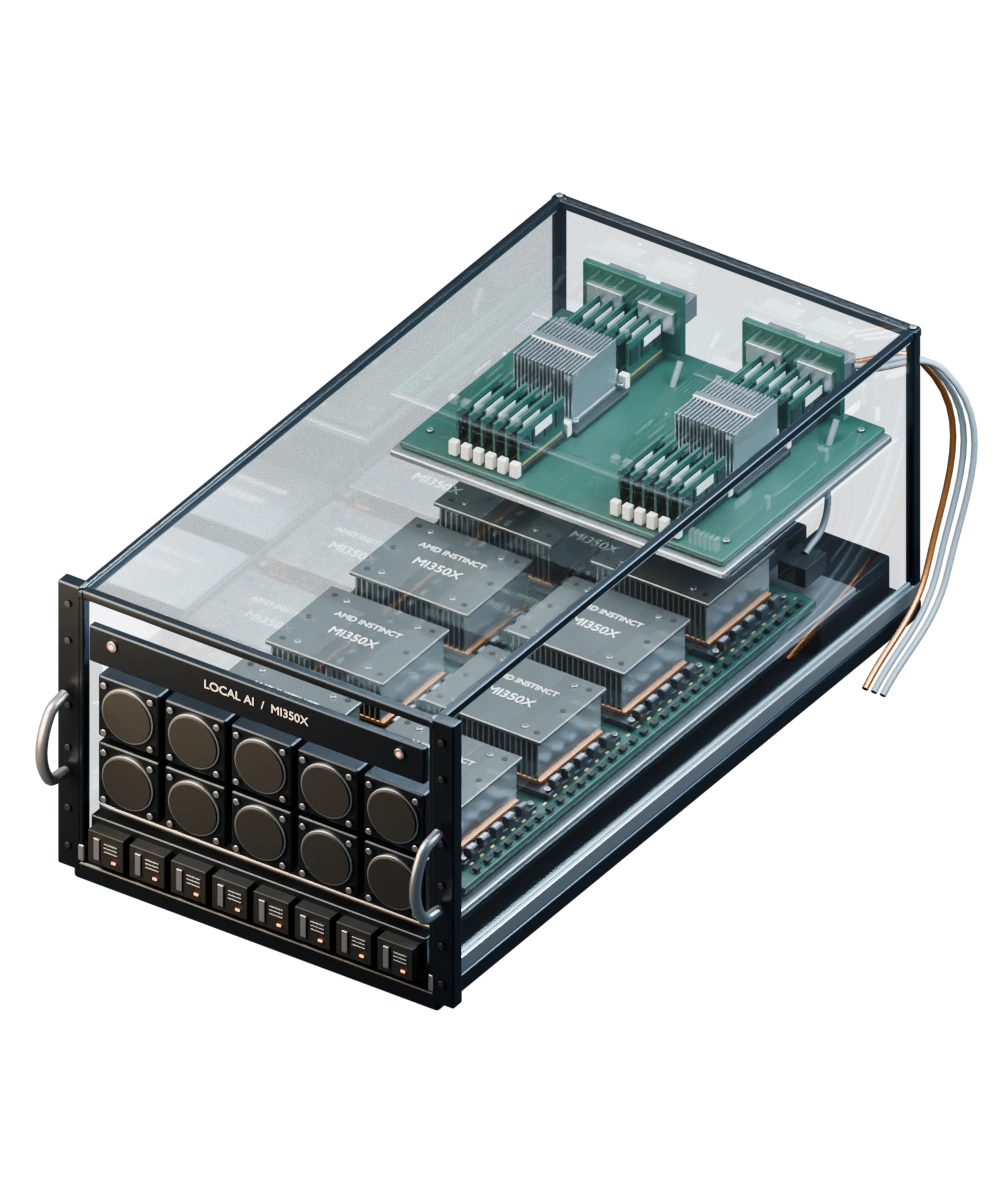
Run AI on your infrastructure, connected to the files and tools your team uses. We configure the model, access rules, and review steps, then test what the system can do and what it must refuse.
Choose a scene and follow the request. These models show configurations to discuss and test during your setup review.
Security
A request only goes as far as its permissions.
Velociti’s harness routes all incoming and outgoing communications through one controlled lane. A shared security plane enforces the policies. The graphite token passes its check. The orange token is refused and returns.
Ask before deployment
Which actions must this workflow deny?
Monitoring agents watch communications and policy activity 24/7. We configure the rules for your workflow.
The source stays inside the boundary. A selected copy follows one approved route. Ownership and usage rights belong in the agreement, with storage, exports, retention, and support access configured to match.
Ask before deployment
Who may authorize a copy or an export?
Map the sources, destinations, access rights, and deletion process.
The request waits at the gate. Approval releases the action and leaves a record of the decision. Your team names the reviewers, sets approval requirements, and decides how long those records are kept.
Ask before deployment
Which actions need a named reviewer?
Agree who decides, what they review, and how decisions are recorded.
Select a layer to see who can use it, what it connects to, and which information it keeps.
The request route
Follow one illustrative request through the layers. Select a layer to read how it handles the request.
Conceptual architecture illustrationAnimation unavailable. The still image shows the same concept.
The deployment review confirms the location, access rules, and connections for each layer.
Layer 1
Who owns this workflow?
Name the person requesting the work and the person responsible for reviewing it. Define the task before giving an agent access.
Boundary
Authenticated team members
Connection
A request with an approved purpose
Record
Requester, workflow owner, intended outcome
Layer 2
One security plane enforces the rules.
Velociti’s harness sends all incoming and outgoing communications through a controlled communication lane. Its shared security plane enforces your access and route policies. Monitoring agents watch communications and policy activity 24/7.
Boundary
Your access and approval policy
Connection
Incoming and outgoing traffic through the harness lane
Record
Requested route, policy decision, monitoring record
Layer 3
Choose which sources the agent can read.
Specify the repositories and storage locations the workflow needs. Production sources stay separate from public inquiry forms and synthetic examples.
Boundary
Selected repositories and storage locations
Connection
Sources permitted for this workflow
Record
Source references and access context
Layer 4
Decide where inference runs.
Select a local model for the agreed workload. If a hosted endpoint is needed, approve that route separately and decide what data it may receive.
Boundary
Local runtime or approved hosted endpoint
Connection
Task input sent to the selected model
Record
Model, endpoint, and routing decision
Layer 5
Separate reading from taking action.
Set read and write permissions independently. Require human review for higher-risk actions such as exports or system changes.
Boundary
Allowed tools, targets, and network routes
Connection
A permitted action or a request for review
Record
Action, denial reason, reviewer decision
Layer 6
Decide what the team needs to retain.
Agree which prompts, outputs, source references, decisions, and logs to keep. Document where they are stored, who can read them, and when they are deleted.
Boundary
Agreed storage, access, and retention policy
Connection
Workflow records sent to customer-controlled storage
Workflow exampleIllustrative workflow using synthetic data
Follow a document review.
An analyst requests a summary of policy changes. Step through the permission check, a blocked upload, and the review of the finished draft.
POLICY DOCUMENT REVIEW
Request captured
Compare three policy documents.
An operations analyst asks for a summary of policy changes, with a reference for each finding. The agent may read the three selected documents but cannot edit them.
Permission
Read three approved documents
STEP 1 OF 6
Approved policy folderAT-1042
Three source documents3 files
Previous policy
Access policy 2025.pdf
Review access within 10 working days.
Updated policy
Access policy 2026.docx
Review access within 5 working days.
Supporting notes
Review notes.docx
Assign the review to the IT lead.
Your request
“Compare these policies. Show what changed and cite the source.”
Operations analyst
Scope allowed
Check the task against its permissions.
The harness’s security plane checks the task before work begins. Reading the selected folder and using the local model are permitted. Editing the originals or uploading them to another service is outside that scope.
Permission
No source edits or external upload
STEP 2 OF 6
Approved policy folderAT-1042
Access policy 2025.pdf
Access policy 2026.docx
Review notes.docx
The security plane checks scope
Read these three filesAllowed
Use the local modelAllowed
Edit the originalsDenied
Upload to another serviceDenied
Read-only access granted. Original files stay unchanged.
Upload denied
The route fails its policy check.
The agent requests an external upload. It enters the harness’s communication lane, where the shared security plane checks the destination and denies the route. The files stay inside. Monitoring agents watch traffic and policy activity 24/7.
Permission
The destination must be on the approved list
STEP 3 OF 6
Velociti harnessAT-1042
One security plane
Enforces policy on all incoming and outgoing communications.
Destination ruleApproved routes only
DENY
Communication laneIN / OUT
Source filesUnapproved endpoint
Route denied. Source files stay inside.
Monitoring agents24/7
Watch communicationsOutbound upload observed
Watch policy decisionsDenied route recorded
Recorded action
UPLOAD Access policy 2025.pdf BLOCKED
Continue through the lane to the approved local model.
Draft prepared
Prepare the draft with the local model.
The agent summarizes the documents using the configured local model. It attaches source references so the reviewer can check the findings.
Permission
Read-only source access
STEP 4 OF 6
Approved policy folderAT-1042
Local modelCompare text · retain source references
Access policy 2025.pdf
Access review / § 2.1
Review period
Review access within 10 working days of receiving a request.
Responsible owner
The operations coordinator completes the review.
1 / 3
Access policy 2026.docx
Access review / § 2.1
Review period
Review access within 5 working days of receiving a request.
Responsible owner
The IT lead completes the review.
1 / 3
Review notes.docx confirms the IT lead as owner.
Draft findings
1 Review window shortened from 10 to 5 working days. [§ 2.1]
2 Responsibility moves to the IT lead. [§ 2.2 + notes]
Owner reviewing
Check the findings before accepting them.
The workflow owner compares the draft with its sources, requests corrections where needed, and decides whether to accept it. The review notes stay with the task.
“Review access within 5 working days of receiving a request.”Access policy 2026.docx · § 2.1
You’re the reviewer. Would you make the timeframe more precise?
The draft waits for your decision.
Record retained
Keep the summary and its review history.
The accepted summary is stored with its sources, permission decisions, and review notes. The agreed retention plan determines where the record lives and how long it is kept.
Permission
Agreed storage and retention policy
STEP 6 OF 6
Review archiveAT-1042
Review record / AT-1042
Policy review, with its history.
Example record
Policy change summary.docx
Review window: five working days. Owner: IT lead.
Sources linked2025 PDF, 2026 DOCX, and review notes
Permission checksRead allowed · original edits denied
We agree the scope before building. Each stage produces work your team can inspect, from the first process map to operating instructions.
The handover
Inspect the control map, configured workflow, operating instructions, and review records that form the handover.
Conceptual delivery illustrationAnimation unavailable. The still image shows the same concept.
Choose the workflow and acceptance criteria.
We work with its owner to map the task, sources, access needs, and operating constraints. Together we agree how to judge the result.
Deliverables
Workflow and owner map
Data and access requirements
Acceptance criteria
Acceptance
Your team can explain what the workflow may do, what is prohibited, and how the result will be checked.
Set up the environment and permissions.
We configure Velociti for the selected sources, model routes, and tools, with approval rules and a place to store the workflow records.
Deliverables
Configured environment
Model and storage plan
Approval and denial rules
Acceptance
Tests confirm that permitted actions work, prohibited actions are denied, and the agreed review records are retained.
Test the result and the failure cases.
We run synthetic, redacted, or approved examples with your team. The review covers output quality, permission checks, and what happens when a step fails.
Deliverables
Tested workflow
Example review records
Issues and improvement log
Acceptance
The workflow owner checks outputs against the agreed criteria. Unresolved limitations are documented before acceptance.
Prepare the team to operate the setup.
We document the configuration and train its owners. Before handover, we agree which issues support covers and when the setup should be reviewed.
Deliverables
Operating runbook
Owner training
Support and review plan
Acceptance
Your team knows how to run and review the workflow, request changes, and escalate an issue.
Responsibilities
Who is responsible for what?
We test the configuration against agreed cases, including requests it should refuse. Your team reviews the results and decides whether the workflow is ready for use.
The agreed model workload runs on local or customer-controlled infrastructure. Storage, connected tools, and remote support need separate decisions. We document those locations and any approved external model routes so you can see what may leave your environment.
Do we need to replace our existing systems?
Not necessarily. We start by reviewing your current environment and the workflow you want to improve. We agree any integration or infrastructure changes before implementation.
What stays under our team’s control?
Your team names the people who can make access, approval, and retention decisions. We document who owns the infrastructure, sources, and records, then configure the setup around those responsibilities.
How are higher-risk actions handled?
Permission to read a file is separate from permission to edit, export, or change a system. Actions with greater consequences can require human approval. We test those checks and denied requests for the selected workflow.
What is the relationship with Velociti?
Velociti supplies the underlying technology. We assess your requirements, configure the environment, and test the workflow with your team. Handover and support follow the agreed scope.
What happens after the setup review?
If the workflow is a fit, we outline what we would deliver and what we need from your team. Scope, timing, and commercial terms are agreed before implementation starts.
Setup review
Tell us about the task.
Describe what your team does now and where the work gets held up. We’ll review your message and follow up to discuss whether a setup review fits.